
How to Use AI to Create Your Resume (Practical Guide)
Artificial intelligence has changed the way we do many things, and creating a resume is no exception. Now you can use AI to write entire sections of your resume, improve job descriptions, or adapt your document to specific offers in a matter of minutes. But careful, using AI doesn't mean putting it on autopilot and forgetting about it. If you do it wrong, you'll end up with a resume that sounds robotic and generic. If you do it right, you'll have a powerful tool that saves you time and improves results.
What AI Can Do for Your Resume
Artificial intelligence works especially well for concrete tasks. It can help you write your professional profile, that initial section that summarizes who you are and what you're looking for. You give it some basic data about your experience and goals, and it returns several text options you can use as a base.
It's also useful for describing your work experience. Sometimes it's hard to find the right words to explain what you did in a position. AI can transform "I was in charge of serving customers" into something more professional like "managed customer service for a portfolio of 200 accounts, resolving inquiries and improving satisfaction by 25%."
Another practical function is adapting your resume to specific offers. You copy the job description, pass it your current resume, and AI suggests which parts to highlight, what keywords to include, and how to reorganize information so it better matches what they're looking for. This is especially valuable when you need to adapt your resume to different job offers without rewriting it from scratch each time.
AI can also help you identify relevant skills you might not have thought to mention, or formulate your accomplishments more impactfully using action verbs and concrete data.
Tools That Work
There are several options available, from platforms specialized in resumes to general assistants like ChatGPT or Claude. Each has its advantages.
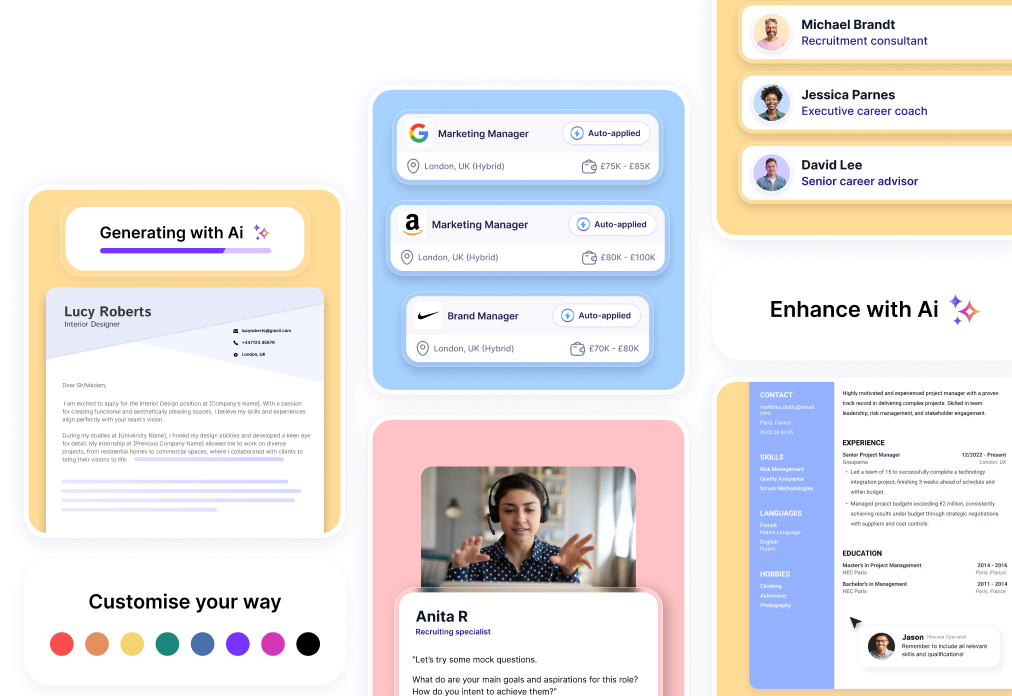
Specific resume platforms usually have integrated templates and guide you step by step. You enter your information, AI helps you write it better, and at the end you download a document with good design. They're practical if you're looking for an all-in-one solution.
General AI assistants give you more flexibility. You can have longer conversations, ask it to rewrite something several different ways, ask it to adjust the tone or add specific data. They require a bit more skill because you're the one directing the process, but the result can be more personalized.
There are also browser extensions and text editor add-ons that suggest improvements while you write. They're useful if you prefer working directly in your document and want occasional help.
The important thing is to choose a tool that fits how you work. If you like having total control, a general assistant is better. If you prefer being guided, a specialized platform works well.
How to Take Advantage Without It Being Obvious You Used AI
The biggest problem with using artificial intelligence is that generated texts usually have a recognizable pattern. Perfectly constructed sentences but without personality, generic adjectives, repetitive structures. An experienced recruiter detects it right away.
The key is using AI as a starting point, not as a final product. Generate the base text and then personalize it thoroughly. Change words for others you'd normally use, add specific details from your experience, adjust the tone so it sounds like you speak.
For example, if AI writes "highly motivated professional with demonstrated experience in...", change it to something more direct: "I've been working for five years in...". Sounds infinitely more human.
Always add concrete data that only you know. AI can suggest structure, but the numbers, specific projects, client names, or tools you used have to come from you. Those details are what make your resume unique.
Review the vocabulary. If words appear that you'd never use in normal conversation, change them. Your resume has to sound like you, not like a corporate manual.
The Prompts That Really Work
The way you ask AI for things makes all the difference. A vague prompt will give you a vague result. A specific and detailed one will give you something useful.
Instead of "write me a professional profile," try: "Write a 3-4 line professional profile for someone with 7 years of experience in digital marketing, specialized in social media and paid campaigns, looking for a management position in a creative agency. Use a professional but approachable tone."
For job descriptions, give context: "Write the description of my position as sales manager in a B2B software company. I managed a 5-person team, implemented a new CRM that increased productivity by 30%, and closed contracts worth 2 million euros annually. Use action verbs and focus on measurable achievements."
If you need to adapt your resume to an offer, be specific: "I have this resume [paste your resume] and want to apply to this offer [paste job description]. Tell me what experiences I should highlight more, what keywords to include, and suggest changes in my professional profile to better fit what they're looking for."
The more information you give, the better the result will be. And don't settle for the first answer. Ask it to try another way, use another tone, be briefer or more detailed. AI doesn't get tired.
Mistakes You Must Avoid
The worst mistake is copy-pasting without reviewing. Some AI-generated texts include generic or even incorrect information. Always verify that everything your resume says is true and relevant to you.
Another common mistake is letting AI invent accomplishments. If you ask it to improve your experience and don't give it concrete data, it can make up percentages, projects, or responsibilities you didn't have. Everything that appears on your resume has to be verifiable because they'll ask you about it in the interview.
Don't use AI to write lies or exaggerate your experience. It can help you better formulate what you did, but it shouldn't transform "I occasionally helped on a project" into "I led the complete project implementation." That's falsifying your application and it's paid dearly.
Be careful also with vocabulary that's too elaborate or formal. If you use words you wouldn't understand in normal conversation, the recruiter will suspect. And if they call you for aninterview and you can't naturally explain what your resume says, it'll be clear you didn't write it.
Don't forget to review the spelling and coherence of the final text. Although AI generally writes well, it sometimes makes mistakes or mixes styles. A careful reading before sending your resume is imperative. Remember that common resume mistakes can cost you the opportunity.
Combine AI with Your Judgment
Artificial intelligence is a tool, not a substitute for your head. Use it to speed up repetitive tasks, to find better ways to say something, to quickly adapt your resume to different offers.
But the important decisions about what to include, how to structure it, and what tone to use should be yours.
Always ask yourself: does this represent me? Does it sound like me? Is it true? If the answer to any of these questions is no, review the text until it fits.
It's also worth experimenting with different tools. Not all AI work the same or give the same results. Try several, compare what they offer you, and stick with the one that best adapts to what you need.
And remember that, although AI can help you with content, how to create a professional resume also involves design, format, and structure. If you're looking for everything to have visual consistency, check out free resume templates that already integrate professional design with the content AI helped you create.
When It's Worth Using It
AI is especially useful when you have to send many applications and need to personalize each resume. Instead of taking an hour to manually adapt your document, you can do it in ten minutes with artificial intelligence help.
It also works well if you're not good at writing or have trouble finding the right words. AI can give you writing options that you then adjust to your taste.
If you haven't updated your resume in a while, AI can help you modernize the language and structure. Pass it your old resume and ask it to reformulate with a more current approach, focused on accomplishments and concrete data.
For those changing sectors or having unconventional trajectories, AI can suggest ways to present your experience you might not have considered, highlighting transferable skills that connect your past with the position you're seeking.
Using AI to create your resume can save you a lot of time and considerably improve your document's quality. But it's not magic or a shortcut to avoid thinking. It's a tool that works when you use it with judgment, when you personalize the results, and when you maintain control over what you finally send. Artificial intelligence can write perfect sentences, but only you know what story you want to tell. Use it well and you'll have a resume that reflects the best of you without sounding artificial. That combination is exactly what you need to stand out in an increasingly competitive job market.