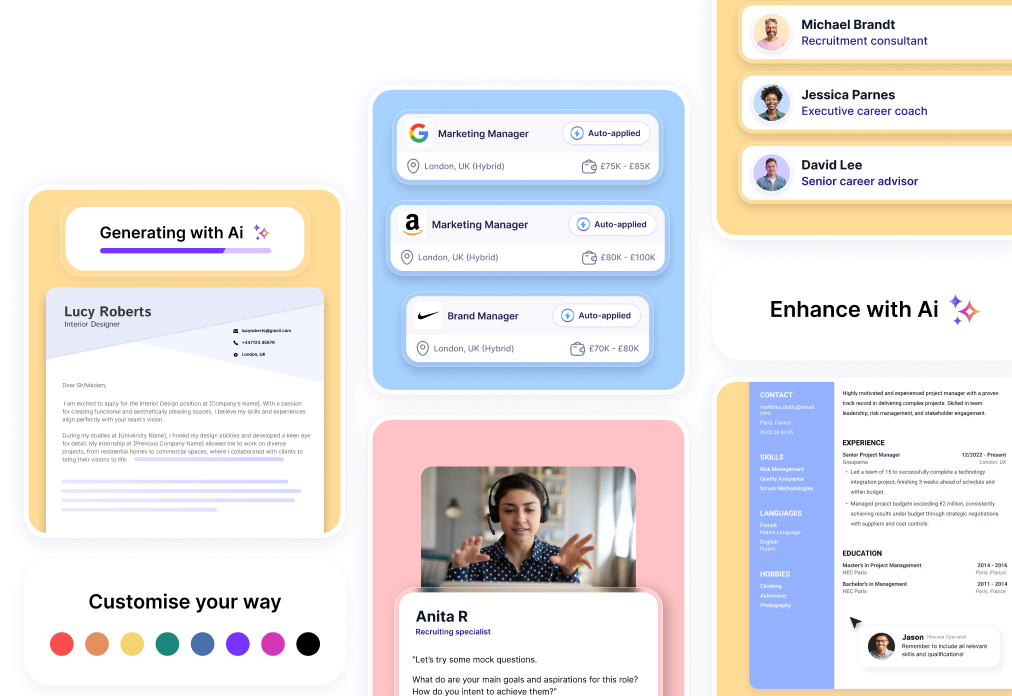

For the vast majority of applications, a specialized tool like CVenligne remains the safest choice: its layout is designed from the ground up to meet recruiter expectations and guarantee smooth parsing by automated screening software. Canva, as a general design platform, works well for specific use cases (creative roles, portfolio creation), but requires constant vigilance to ensure it does not compromise your application.
What is the fundamental difference between the two platforms?
Canva is a comprehensive creative tool where CVs are just one format among thousands of others (posters, social media graphics, presentations). Templates are treated as graphic objects, designed for visual appeal rather than functional relevance for a recruiter.
CVenligne takes the opposite approach, specializing exclusively in CVs and cover letters. Every template natively incorporates market standards: clear section headers, logical sequencing of work history, and a readable layout. This approach takes the pressure off active job seekers: with the structure already validated, full focus can be directed toward strategic content.
ATS compatibility: the trap of graphic-heavy templates
ATS (Applicant Tracking Systems) are automated screening tools used by most companies to filter applications by extracting raw text from the document.
A CV created on Canva risks being misread or rejected by these tools if it relies on multiple columns, overlapping text boxes, or visual skill bars. These limitations stem from the default templates—which prioritize aesthetics—rather than the tool itself. On a dedicated platform, compliance with ATS requirements is built into every template's core design.
How to check if a Canva template is ATS-friendly
- Check the layout: Choose a single-column structured document without floating text boxes.
- Remove visual rating scales: Replace charts or rating stars with written mentions (e.g., "English: fluent").
- Test text selection: Export your CV as a PDF and select the text with your mouse. If the selection jumps erratically from one block to another, the ATS will not be able to parse the document properly.
Read also: [ATS Recruitment in 2026: New Rules to Pass Automated Screening]
Ease of use and saving time during an active job search
On Canva, setting up an initial CV can take 20 to 30 minutes. However, even minor updates (adding a position, adjusting a block, rebalancing whitespace) can double that time by requiring complex manual adjustments. Without layout expertise, job seekers also risk cluttering the document with excessive colors or illegible typography, drawing attention away from key information.
On a dedicated builder, spacing and fonts are pre-calibrated to professional standards. For candidates submitting multiple applications a week, this framework allows them to tailor their CV quickly for each role without redesigning the layout every time.
When does Canva remain a solid choice?
Canva remains genuinely useful in two specific scenarios:
- Creative professions (graphic design, art direction, visual communication), where a custom visual CV serves as a primary showcase of technical talent, and ATS screening is less systematic.
- Creating supporting materials, such as portfolios or business cards, which can be designed within the same workspace.
Which tool should you choose for your profile?
- Active job seekers: A specialized builder is ideal for customizing content to match specific job ads without wasting time on layout formatting.
- Career changers: The structured guidance helps focus effort on message clarity and highlighting transferable skills.
- Students and recent graduates: A predefined structure prevents the impulse to over-design the document to compensate for a lack of experience.
- Creative sectors: Canva delivers the necessary visual freedom, provided you verify the template's ATS readability.
Key takeaways
- CVenligne protects your application, natively incorporating ATS compatibility without requiring manual checks.
- Canva demands extra caution, as columns and complex graphic elements should be avoided for standard applications.
- A specialized tool saves valuable time, making it ideal when you need to tailor your CV quickly for multiple openings.
- Content clarity trumps design for the vast majority of recruiters.
FAQ — Frequently asked questions
Can a CV created on Canva be rejected by an ATS?
Yes. Complex templates featuring multiple columns or graphic skill bars are frequently misparsed by screening software. A tool built exclusively for CVs eliminates this risk at the source.
Is Canva free for creating a CV?
Yes, a free plan is available. However, it requires you to manually evaluate the ATS compliance of your chosen template from among thousands of general design assets.
Does visual presentation matter more than content?
No. Outside of creative fields, a recruiter's top priorities remain readability, career path coherence, and skill relevance.
Can you use both tools side by side?
Absolutely. It is very common to build your core CV on a dedicated builder to clear ATS filters, while attaching a visual portfolio designed on Canva.
Should you rebuild a CV that was already created on Canva?
If your current template uses a single column of selectable text, it may be fine. When in doubt, reimporting your text into a clean, dedicated builder remains the fastest and safest route.